
Table of Contents
Americans reported losing a record $15.9 billion to fraud in 2025, and text messages were the most common way scammers made contact. Scam texts usually create a sense of urgency and ask you to click a link, reply or pay. Common scams include fake delivery texts, unpaid toll texts, bank alerts and wrong number messages. In the UK, forward scam texts free to 7726. In the US, report them at ReportFraud.ftc.gov. If you clicked a link or shared details, contact your bank at once and change your passwords.
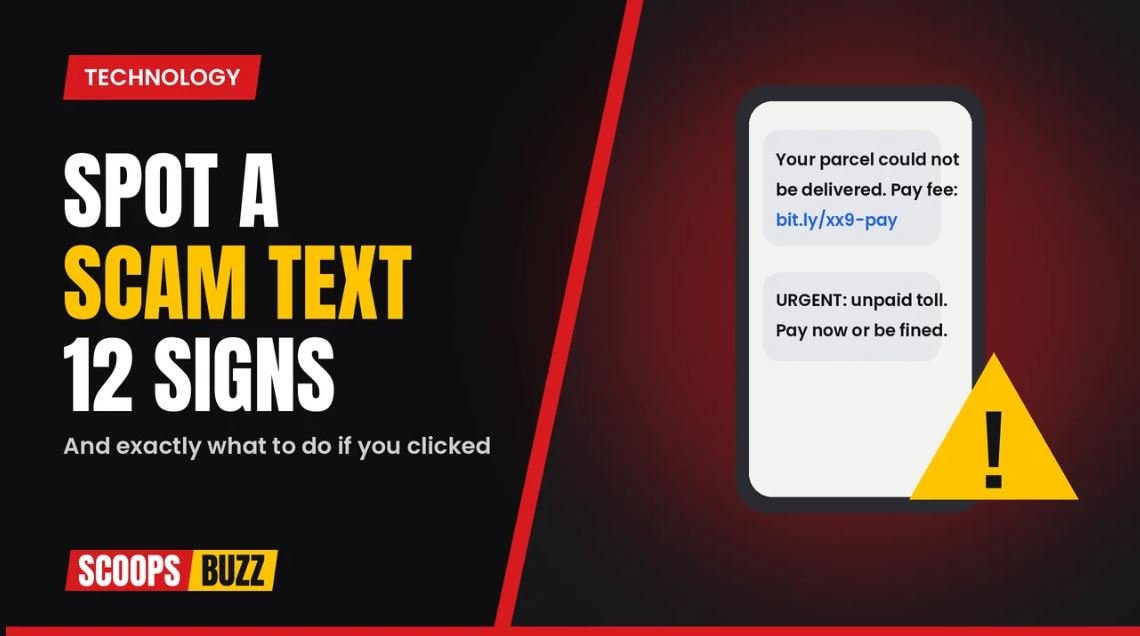
Your phone buzzes. A text says your parcel cannot be delivered, your bank account has been locked or you owe money for an unpaid toll. It asks you to click a link to sort it out.
Stop. It is very likely a scam.
Scam texts, sometimes called smishing, are now one of the most common ways criminals target people in the US, the UK and across Europe. According to the Federal Trade Commission, Americans reported losing a record $15.9 billion to fraud in 2025, up from $12.5 billion the year before, and text messages were the most commonly reported way scammers first got in touch.
The good news is that most scam texts follow the same patterns. Here is how to spot a scam text, the most common scams to watch for, and exactly what to do if you have already clicked.
Why Scam Texts Work
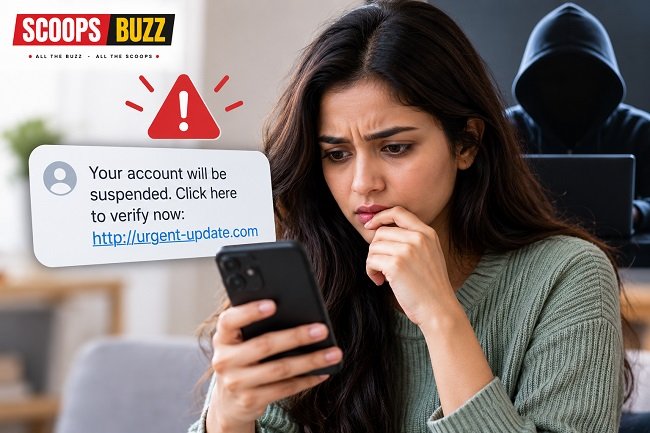
Scammers use texts because they are cheap to send and people tend to trust them. We read most texts within minutes, often on the move, which makes it easier to click before thinking.
Criminals also copy real companies, government agencies and banks very closely. Some texts even appear in the same message thread as genuine messages from that company, because scammers can fake the sender name.
That is why learning to spot a scam text is one of the most useful skills you can have today.
12 Warning Signs to Spot a Scam Text
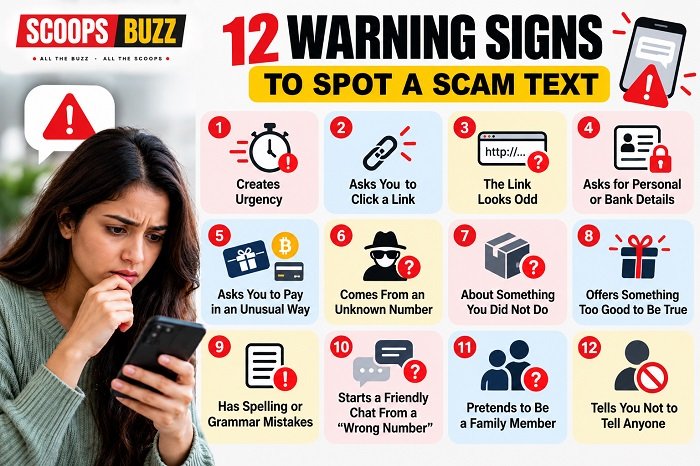
1. It Creates Urgency
“Act now,” “final notice,” “your account will be suspended in 24 hours.” Scammers want you to panic so you do not stop to think. Real companies rarely give you minutes to act.
2. It Asks You to Click a Link
Most scam texts include a link to a fake website that looks real. Be very careful with any link in an unexpected text, especially one that asks you to log in or pay.
3. The Link Looks Odd
Checking the link is a quick way to spot a scam text. Look closely at the web address. Scam links often use misspellings, extra words or strange endings, such as a delivery company name followed by random letters, or a short link that hides where it goes.
4. It Asks for Personal or Bank Details
Asking for details is one of the easiest ways to spot a scam text. Your bank, the IRS, HMRC or the post office will not text you asking for your password, PIN, full card number or a one time security code. If a text asks for these, it is a scam.
5. It Asks You to Pay in an Unusual Way
Requests to pay with gift cards, cryptocurrency, wire transfers or payment apps are big red flags. Legitimate organizations do not ask for payment this way.
6. It Comes From an Unknown Number
Many scam texts come from random numbers, sometimes from overseas, or from email addresses instead of phone numbers.
7. It Is About Something You Did Not Do
A text about a parcel you are not expecting, a purchase you did not make or a toll road you did not use should make you suspicious.
8. It Offers Something Too Good to Be True
Prizes, refunds, free gifts or “you have won” messages are classic tricks, especially around big shopping events like Black Friday.
9. It Has Spelling or Grammar Mistakes
Poor spelling can help you spot a scam text. Many still contain odd wording or mistakes, although scammers are getting better, partly thanks to AI tools. Do not rely on this sign alone.
10. It Starts a Friendly Chat From a “Wrong Number”
A message like “Hi, is this Sarah?” from someone you do not know can be the start of a long scam. After you reply, the scammer builds a friendship, then later pushes a fake investment.
11. It Pretends to Be a Family Member
“Hi Mum, I’ve lost my phone, this is my new number.” These texts then ask for money urgently. Always call your family member on their usual number to check.
12. It Tells You Not to Tell Anyone
Scammers often ask you to keep things secret or warn you not to talk to your bank. That is a major warning sign.
The Most Common Scam Texts Right Now
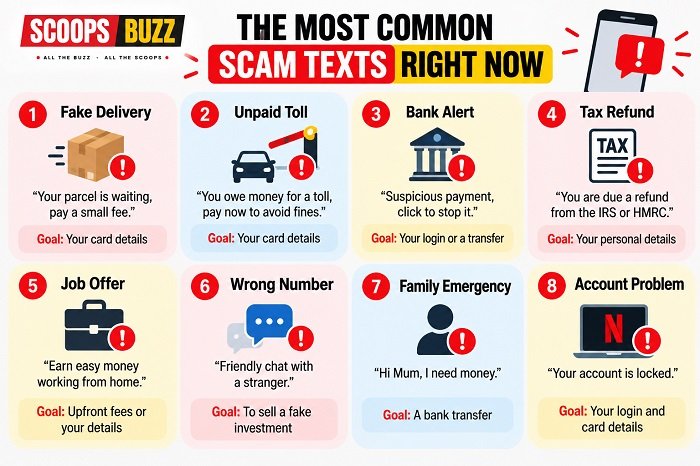
Knowing the latest tricks helps you spot a scam text before it catches you out.
| Scam | What the text says | What it really wants |
| Fake delivery | Your parcel is waiting, pay a small fee | Your card details |
| Unpaid toll | You owe money for a toll, pay now to avoid fines | Your card details |
| Bank alert | Suspicious payment, call or click to stop it | Your login or a transfer |
| Tax refund | You are due a refund from the IRS or HMRC | Your personal details |
| Job offer | Earn easy money working from home | Upfront fees or your details |
| Wrong number | Friendly chat with a stranger | To sell a fake investment |
| Family emergency | “Hi Mum” or “Hi Dad,” I need money | A bank transfer |
| Account problem | Your Netflix, Amazon or Apple account is locked | Your login and card details |
Toll scams have been a huge problem in the US. The FTC says texts demanding payment for unpaid tolls helped drive a 40% increase in reports of government impostor scams in 2025. They often copy real toll systems like E-ZPass, SunPass and FasTrak.
In the UK, fake texts claiming to be from Royal Mail, Evri, HMRC, banks and even NHS services are common.
How Big Is the Problem?
Scam Alert: The Big Numbers
A look at reported US fraud statistics for 2025
Fraud Losses
Reported to the FTC in 2025
Fraud Reports
Approximately reported in 2025
Impostor Scam Losses
Reported US losses in 2025
Most Common Contact
Text messages used by scammers
Stay Alert: Never click suspicious links or share personal and banking details through unexpected text messages.
Source: Federal Trade Commission (FTC) • 2025
| Fact | Figure |
| US fraud losses reported to the FTC in 2025 | $15.9 billion |
| US fraud reports in 2025 | About 3 million |
| US impostor scam losses in 2025 | More than $3.5 billion |
| Most common way scammers made contact | Text message |
These figures only include losses that were reported. Many people never report scams, so the real total is much higher.
What to Do if You Get a Scam Text
Got a Scam Text? Do This!
5 simple steps to protect yourself from text scams
Don’t Click Links
Avoid suspicious links that may steal your personal details.
Don’t Reply
Replying may confirm your number is active.
Check Directly
Contact the company through its official website or app.
Report the Scam
Report suspicious messages to the relevant authorities.
Delete & Block
Delete the suspicious message and block the sender.
Remember: Never share passwords, PINs, banking details or one-time security codes through unexpected text messages.
Stay Smart. Stay Safe. Stay Informed.
- Do not click any links. Once you spot a scam text, leave the links alone. Even opening a link can take you to a fake page designed to steal your details.
- Do not reply. Even replying “STOP” can confirm your number is active, unless it is from a company you know and trust.
- Check directly. If you are worried a message might be real, contact the company using its official app, website or a phone number you already know, not the details in the text.
- Report it. See below for how to report scam texts in the US and the UK.
- Delete and block the number.
How to Report Scam Texts
In the US: – Forward the text to 7726 (which spells SPAM on a keypad). This alerts your mobile carrier. – Report it to the Federal Trade Commission at ReportFraud.ftc.gov. – Use the “Report Junk” option in your phone’s messages app.
In the UK: – Forward the text for free to 7726. Your mobile provider can then block the sender. – See the National Cyber Security Centre’s guide on how to report a scam text message. – If you have lost money, report it to Report Fraud, the national reporting service that has replaced Action Fraud, on 0300 123 2040, or to Police Scotland on 101 if you live in Scotland.
In Europe: Most countries have a national police or consumer protection service for reporting fraud. Many mobile networks also accept scam reports.
What to Do if You Clicked a Link
Clicked a Scam Link? Act Fast!
7 important steps to protect your money and personal information
Stop Entering Details
Close the page immediately. Do not enter any more information.
Contact Your Bank
If you shared bank or card details, call your bank using its official number.
Change Passwords
Start with your email and bank accounts. Use unique passwords.
Enable 2FA
Turn on two-factor authentication for important accounts.
Monitor Your Accounts
Check bank statements and cards for unusual transactions.
Secure Your Phone
Run a security check and update your phone software.
Check Your Credit Report
Look for unfamiliar accounts. In the US, consider a free credit freeze with all three credit bureaus.
🚨 Have You Sent Money?
Contact your bank immediately and report the fraudulent payment. The sooner you act, the better your chances of stopping further losses.
SCOOPS BUZZ • Stay Alert. Stay Protected.
Do not panic, but act fast.
- Do not enter any more information. Close the page right away.
- Contact your bank if you entered card or bank details. Use the number on the back of your card. Ask them to block your card and watch for unusual payments. In the UK, you can call 159 to reach many major banks safely.
- Change your passwords, starting with your email and bank accounts. Use a different password for every account.
- Turn on two factor authentication for important accounts.
- Check your accounts and credit card statements for anything unusual over the next few weeks.
- Run a security check on your phone and keep its software updated.
- Check your credit report for any new accounts you did not open. In the US, you can also freeze your credit with each of the three credit bureaus for free.
If you have sent money, contact your bank immediately. The sooner you act, the better the chance of stopping or recovering the payment. In the UK, many victims of bank transfer scams can now get reimbursed under rules introduced in 2024, but you need to report it quickly.
How to Block Scam Texts on Your Phone
Block Scam Texts, Stay Safe!
Simple ways to stop unwanted messages on your phone
iPhone
Go to Settings → Apps → Messages → Turn on Filter Unknown Senders.
Tap Report Junk under an eligible message from an unknown sender.
Android
Open Google Messages → Settings → Spam protection → Turn it on.
Tap and hold a conversation, then choose Block and Report spam.
Many mobile carriers also provide free spam-blocking apps and settings to help protect you from unwanted messages.
SCOOPS BUZZ • Stay Alert. Stay Protected.
On iPhone: – Go to Settings, then Apps, then Messages, and turn on Filter Unknown Senders. Messages from people not in your contacts will go into a separate list. – Tap Report Junk under a message from an unknown sender to report and delete it.
On Android: – In Google Messages, open settings and turn on Spam protection. – Tap and hold a conversation, then choose Block and Report spam.
Many mobile carriers also offer free spam blocking apps or settings.
How to Protect Yourself From Scam Texts
Stay Smart, Stay Scam-Free!
6 simple habits to protect yourself from scam texts
Be suspicious of unexpected messages asking you to take action.
Never share one-time passcodes with anyone.
Access banking, delivery and shopping services through official apps.
Educate family members, especially older relatives and teenagers.
Install the latest software updates and security fixes.
Use unique passwords and a trusted password manager.
A little caution today can protect your money and personal information tomorrow.
SCOOPS BUZZ • Stay Alert. Stay Protected.
- Be suspicious of every unexpected text that asks you to act.
- Never share one time passcodes. Your bank will never ask you to read out a code sent to your phone.
- Use official apps for banking, deliveries and shopping, instead of links in texts.
- Talk to family members, especially older relatives and teenagers, about common scams.
- Keep your phone updated with the latest security fixes.
- Use strong, unique passwords and a password manager.
How to Spot a Scam Text That Looks Real
Looks Real? Think Twice!
4 smart ways to identify convincing scam messages
Did You Expect It?
Unexpected delivery, refund or account alerts deserve extra caution.
Open the Official App
Check your bank, delivery or toll account directly through its official app.
Search the Message
Search a sentence from the text online to see if others have reported it.
Call a Trusted Number
Use the number on your card, bill or official website, never the text.
Scammers can copy company logos, names and messages. Always verify through an official channel before taking action.
SCOOPS BUZZ • Stay Alert. Stay Protected.
Some scam texts are very convincing. They may use the real company logo on the fake website, your first name or even details from a data breach. To spot a scam text that looks genuine:
- Ask yourself if you expected it. If you were not waiting for a delivery, refund or alert, be suspicious.
- Open the official app instead. If your bank, delivery company or toll agency really needs you, the message will usually show in their app or account too.
- Search for the wording. Copy a sentence from the text into a search engine. Many scams have already been reported online.
- Call a number you trust. Use the number on your card, bill or the official website, never one in the text.
How to Help Older Relatives Spot a Scam Text
Older people are often targeted by scammers. Help them by:
- Showing them real examples of scam texts.
- Turning on spam filters on their phone.
- Agreeing a simple rule: never click links in texts, and always call family before sending money.
- Making sure they know they can ask you without feeling embarrassed.
Scam Texts During the Holidays
Scam texts usually rise around big shopping events like Black Friday and Christmas, when people are expecting deliveries and looking for deals. Fake delivery texts, fake order confirmations and “too good to be true” offers are especially common at this time of year.
If you are expecting a parcel, track it using the retailer’s official app or website, not a link in a text.
More From ScoopsBuzz
- Black Friday 2026: dates, early deals and how to shop safely
- How to improve your credit score: 15 simple steps that really work
Frequently Asked Questions
How can I spot a scam text?
Watch for urgency, links you were not expecting, requests for personal or bank details, unusual payment methods and messages about things you did not do.
What happens if I open a scam text?
Just opening the text is usually safe. The danger comes from clicking links, replying or sharing information.
What should I do if I clicked a scam link?
Close the page, contact your bank if you shared financial details, change your passwords and monitor your accounts.
Where do I report scam texts?
In the US and UK, forward them to 7726. In the US, also report to ReportFraud.ftc.gov. In the UK, report losses to Report Fraud on 0300 123 2040.
Why am I getting so many scam texts?
Scammers send millions of texts to random or leaked numbers. Getting one does not mean you have been targeted personally.
Will my bank ever text me asking for my PIN or password?
No. Banks do not ask for your PIN, full password or one time security codes by text.
Sources: Federal Trade Commission, National Cyber Security Centre, City of London Police, The Spokesman Review, PYMNTS